


الحالة الدقيقة مدرجة
صفحة المنتج هي مصدر الحقيقة فيما يتعلق بالحالة والتفاصيل المرئية والعناصر المضمنة وملاحظات التوافق الخاصة بالطراز.
دليل الحالةDue to APEC, new orders (For Drone) placed from October 26 will ship in late November. For replacement part will be normal. Thank you for your patience.
Due to APEC, new orders (For Drone) placed from October 26 will ship in late November. For replacement part will be normal. Thank you for your patience.
Due to APEC, new orders (For Drone) placed from October 26 will ship in late November. For replacement part will be normal. Thank you for your patience.
Due to APEC, new orders (For Drone) placed from October 26 will ship in late November. For replacement part will be normal. Thank you for your patience.
Due to APEC, new orders (For Drone) placed from October 26 will ship in late November. For replacement part will be normal. Thank you for your patience.
Due to APEC, new orders (For Drone) placed from October 26 will ship in late November. For replacement part will be normal. Thank you for your patience.
Due to APEC, new orders (For Drone) placed from October 26 will ship in late November. For replacement part will be normal. Thank you for your patience.
Due to APEC, new orders (For Drone) placed from October 26 will ship in late November. For replacement part will be normal. Thank you for your patience.
Due to APEC, new orders (For Drone) placed from October 26 will ship in late November. For replacement part will be normal. Thank you for your patience.
Due to APEC, new orders (For Drone) placed from October 26 will ship in late November. For replacement part will be normal. Thank you for your patience.
Due to APEC, new orders (For Drone) placed from October 26 will ship in late November. For replacement part will be normal. Thank you for your patience.
Due to APEC, new orders (For Drone) placed from October 26 will ship in late November. For replacement part will be normal. Thank you for your patience.
Due to APEC, new orders (For Drone) placed from October 26 will ship in late November. For replacement part will be normal. Thank you for your patience.
Due to APEC, new orders (For Drone) placed from October 26 will ship in late November. For replacement part will be normal. Thank you for your patience.
Due to APEC, new orders (For Drone) placed from October 26 will ship in late November. For replacement part will be normal. Thank you for your patience.
Due to APEC, new orders (For Drone) placed from October 26 will ship in late November. For replacement part will be normal. Thank you for your patience.
أنفق [المبلغ] أكثر مقابل الشحن المجاني
تعذر تحميل مدى توفر الطلب
بعد الخروج، يؤكد Reboot Hub الطلب الدقيق، ويفحص العنصر الفعلي مقابل القائمة، ويثبت المستندات حيثما أمكن، ويسجل فيديو التعبئة، ويتتبع الأسهم.
لماذاReboot Hub
نقوم بتقليل الأسئلة التي تجعل عمليات شراء مستعمل الدولية صعبة: ما هي السلعة، وكيف تبدو، وما الذي تم تضمينه، وما الذي تم فحصه، ومن قام بتعبئته.
صفحة المنتج هي مصدر الحقيقة فيما يتعلق بالحالة والتفاصيل المرئية والعناصر المضمنة وملاحظات التوافق الخاصة بالطراز.
دليل الحالةتشتمل منتجات مستعمل المؤهلة على شروط الضمان الموضحة في صفحة المنتج، مع ذكر الاستثناءات بوضوح.
عرض السياسةتدعم خلفيتنا الفنية الفحص العملي ومراجعة مخاطر الإصلاح وفحوصات التوافق قبل الإرسال.
شهاداتنانحن لا نقوم بإسقاط هذه الطلبات. يقوم فريقنا الخاص بمراجعة العنصر وإعداد الحماية وتعبئته وتسجيل الإرسال.
معيارنادليل التعبئة
يوضح سجل التعبئة الحقيقي هذا كيفية تعامل Reboot Hub مع طلب RC Pro 2 عالي القيمة. تنطبق نفس العملية الدقيقة على جميع معداتنا: مراجعة القائمة، والحماية الإضافية المناسبة، والتوسيد، والختم النهائي، والإرسال الذي يمكن تتبعه.
دليل المنتج
فهم الوحدة الدقيقة والحالة المسجلة والأدلة والحماية وراء طلبك.
تُظهر الصور الموجودة داخل تقرير الفحص الوحدة الفعلية التي تم إعدادها لطلبك، بدلاً من عينة منتج مُعاد استخدامها.
تصف درجة الحالة وسجل الفحص نفس الوحدة المعتمدة والجاهزة للإرسال.
تم الكشف عن فحوصات الوظائف المتوفرة ونتائج التشخيص والملاحظات والفيديو الداعم للوحدة التي يتم توفيرها.
يوثق سجل التعبئة كيفية حماية العنصر المعتمد وتوسيده وإغلاقه لهذا الطلب قبل الإرسال.
تتم مشاركة تتبع الشحنة بعد الإرسال بحيث يظل سجل التسليم متصلاً بالطلب المؤكد.
معلومات المنتج الدقيقة
تظل صفحة المنتج المحدد والمتغير والتأكيد المكتوب مصدر الحقيقة فيما يتعلق بالحالة والتوافق والعناصر المضمنة وشروط الضمان.
يتم التحقق من التوافق وفقًا للطراز ووحدة التحكم والبطارية والشاحن والملحقات المحددة قبل الإرسال.
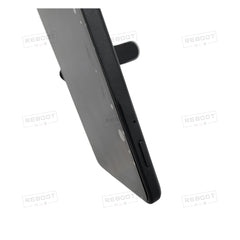
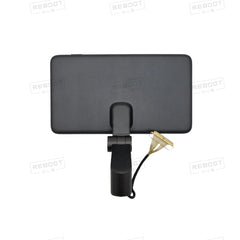
Remote controller screen module for DJI Phantom 4 Pro+ display and controls.
DJI Phantom 4 Pro+ Remote Controller Screen Module (RH) Obsidian - OEM-pulled · PRODUCT KNOWLEDGE
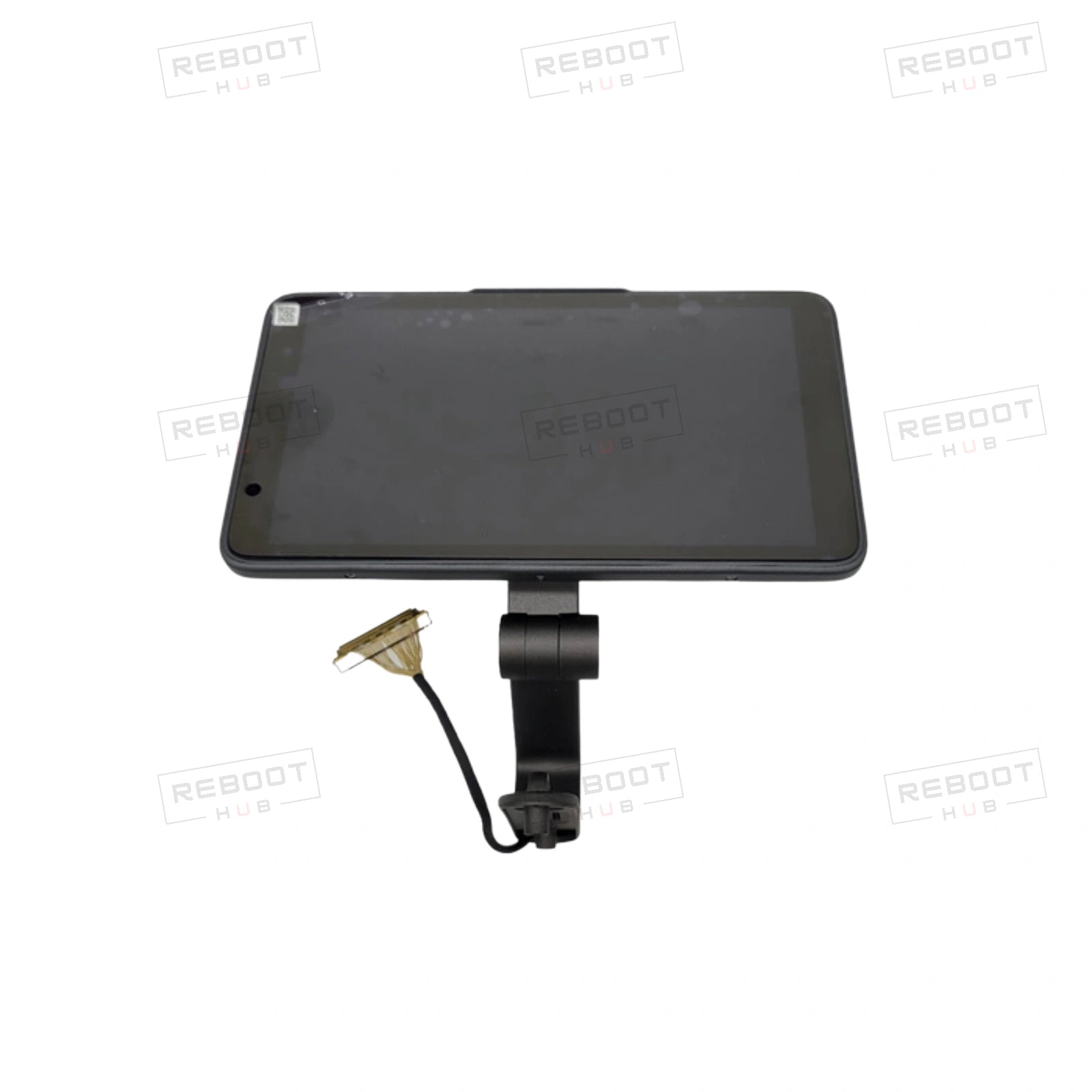
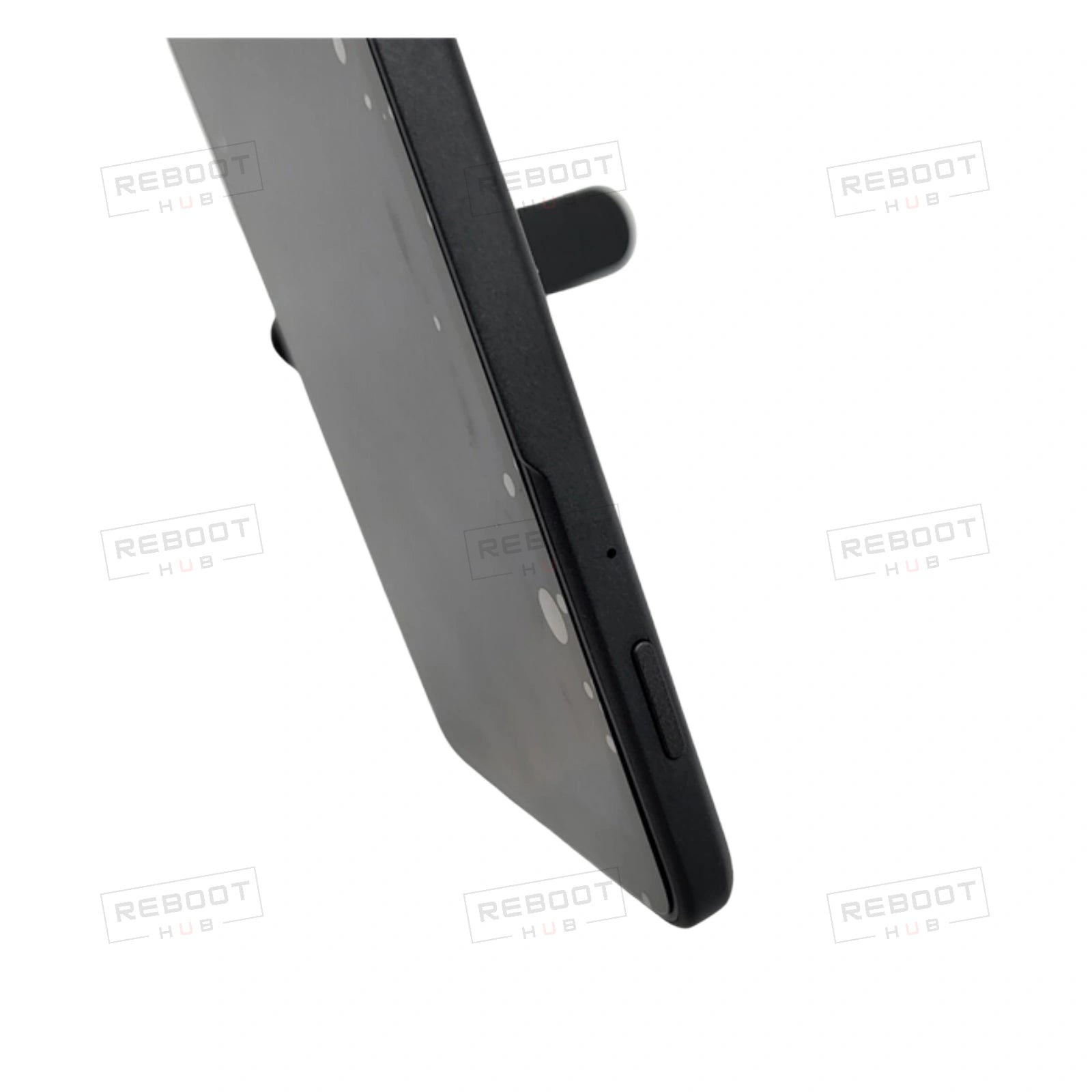
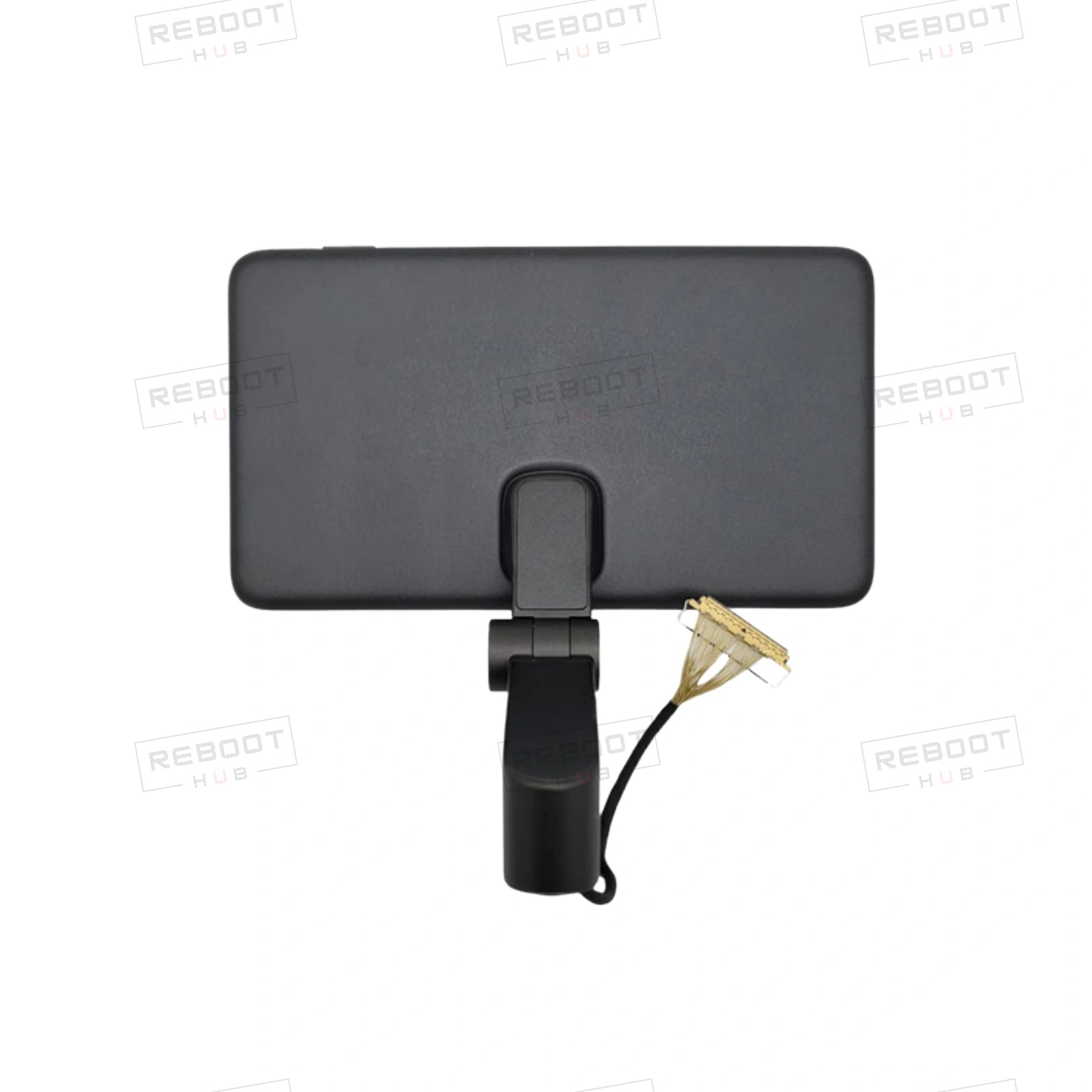
Product summary: DJI Phantom 4 Pro+ Remote Controller Screen Module (RH) Obsidian - OEM-pulled from Reboot Hub. This OEM screen module features a bright, high-resolution display for real-time video streaming and drone telemetry from the Phantom 4 Pro+. It incorporates touch-sensitive controls and is housed in a durable obsidian-colored casing for the right-hand remote controller.
Product category
Spare PartsCurrent Shopify product classification.Listing condition
As listedExact condition and cosmetic grade are governed by this listing and selected variant.Available selection
Single listed configurationThe selected variant and listing photographs control included items.Core function
Remote controller screen module for DJI Phantom 4 Pro+ display and controls.Based on the current product listing.Inspection focus
Condition, core function, compatibility and included piecesReboot Hub review scope before dispatch.Written coverage
Listing-specific written termsCheck the warranty, shipping and return terms shown on this listing before purchase.فحص المشتري الدولي
قبل الطلب، تحقق من إصدار الطراز ومتطلبات راديو الوجهة والتنشيط وقواعد الطيران المحلية.
اقرأ دليل توافق المنطقة DJIتوافق المنتج
| البند | الحالة | ما يجب معرفته |
|---|---|---|
| Exact host model | Exact match required | Match DJI Phantom 4 Pro+ Remote Controller Screen Module (RH) Obsidian to the full donor and host model, generation and part number before ordering. |
| Hardware revision and position | Confirm | Compare display size, connector layout, mounting points and controller generation with the original screen assembly and listing photographs. |
| Installation scope and included pieces | Listing-specific | Confirm whether the listing includes only the named component or also attached cables, fasteners, seals and other hardware shown in its photographs. |
| Exact controller display assembly | Exact match required | Confirm the exact controller model and screen module revision. |
| Display connector and housing | Confirm | Match the flex/board connector and physical fit before installation. |
| Included screen assembly | Listing-specific | Verify the photographed screen, bezel, cable and mounting pieces included in this listing. |
الحزمة المختارة = مصدر الحقيقة
The selected variant, its photographs and Reboot Hub written confirmation determine the exact included pieces.
يحدد المتغير المحدد وصوره وسجل فحص Reboot Hub القطع المضمنة بالضبط.
Match DJI Phantom 4 Pro+ Remote Controller Screen Module (RH) Obsidian, its generation and side to the removed controller component before disassembly.
Compare screen size, bezel, flex connector, mounting points and visible condition.
Follow the controller service path and ESD precautions; do not force the display connector.
Run a controlled power-on check before relying on the controller in operation.
Compare the controller model, bezel, connector and mounting points.
Inspect the display cable and host board before judging the screen module.
Verify the exact display assembly and connected controller components through diagnostics.
Power down and document the condition before further service.
أدلة المنتج الموثقة
أسئلة المنتج
فريق حقيقي وراء الإدراج
تدعم Reboot Hub المشترين في جميع أنحاء العالم من خلال معدات مستعمل التي تم فحصها، وقطع غيار OEM-pulled الأصلية، وفحوصات التوافق الخاصة بالطراز، والمصادر الدقيقة، ودعم ما بعد البيع المدعوم بالإصلاح.
يوفر مكتب الخدمة لدينا للمشترين الدوليين فريقًا حقيقيًا للاتصال به قبل الإرسال، وليس قائمة سوق مجهولة.
Reboot Hub Service Desk - Shenzhen
ملاءمة الأجزاء والمعدات تمامًا
بالنسبة للأجزاء وأجهزة التحكم والكاميرات والمحورين والملحقات، تقوم Reboot Hub بالتحقق من العنصر الدقيق وهوية الجزء والحالة المرئية والتوافق المعروف مقابل المعلومات المتاحة للطلب. اطلب منا التحقق من الملاءمة قبل الدفع عندما يكون أحد المكونات خاصًا بالطراز أو المراجعة.
الأدلة والدعم والتعلم

Check DJI Phantom 4 Pro+ Remote Controller identity, part position and the current listing before ordering this component.
اقرأ الدليل
Use a practical aircraft, battery, propeller, controller, Home Point, and environment check before deciding to launch.
اقرأ الدليل
Check the battery, charger, cable, temperature, and indicator behavior before treating a charging problem as a failed battery.
اقرأ الدليل