


Exact Condition Listed
The product page is the source of truth for condition, visible details, included items, and model-specific compatibility notes.
Condition guideSpend $99 more for free shipping
Couldn't load pickup availability
After checkout, Reboot Hub confirms the exact order, checks the actual item against the listing, documents proof where applicable, records a packing video, and shares tracking.
Why Reboot Hub
We reduce the questions that make international pre-owned purchases difficult: what the item is, how it looks, what is included, what was checked, and who packed it.
The product page is the source of truth for condition, visible details, included items, and model-specific compatibility notes.
Condition guideEligible pre-owned products include the warranty terms shown on the product page, with exclusions stated clearly.
View policyOur technical background supports practical inspection, repair-risk review, and compatibility checks before dispatch.
Our certificationsWe do not dropship these orders. Our own team reviews the item, prepares protection, packs it, and records dispatch.
Our standardPacking proof
This real packing record shows how Reboot Hub handles a high-value RC Pro 2 order. The same careful process applies across our equipment: listing review, appropriate extra protection, cushioning, final seal, and traceable dispatch.
PRODUCT EVIDENCE
Understand the exact unit, recorded condition, evidence and protection behind your order.
Photos inside the inspection report show the actual unit prepared for your order, rather than a reused sample product.
The condition grade and inspection record describe the same unit that is approved and prepared for dispatch.
Available function checks, diagnostic results, notes and supporting video are disclosed for the unit being supplied.
The packing record documents how the approved item is protected, cushioned and sealed for this order before dispatch.
Shipment tracking is shared after dispatch so the delivery record remains connected to the confirmed order.
Exact product information
The selected product page, variant, and written confirmation remain the source of truth for condition, compatibility, included items, and warranty terms.
Compatibility is checked against the selected model, controller, battery, charger, and accessory generation before dispatch.
Core functions are checked against the product type and the exact configuration selected on this page.
DJI MAVIC AIR · SPARE PART FIT CHECK
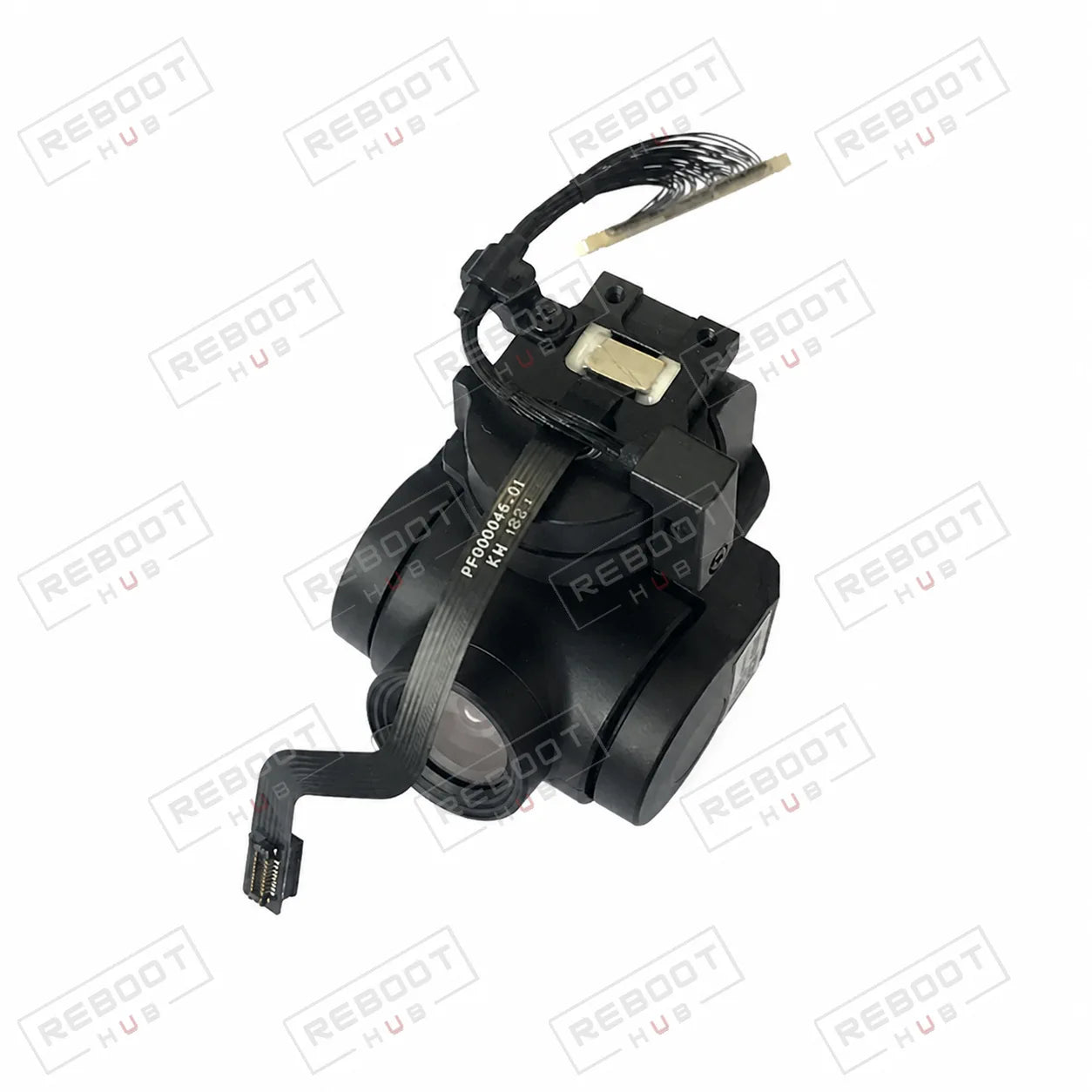
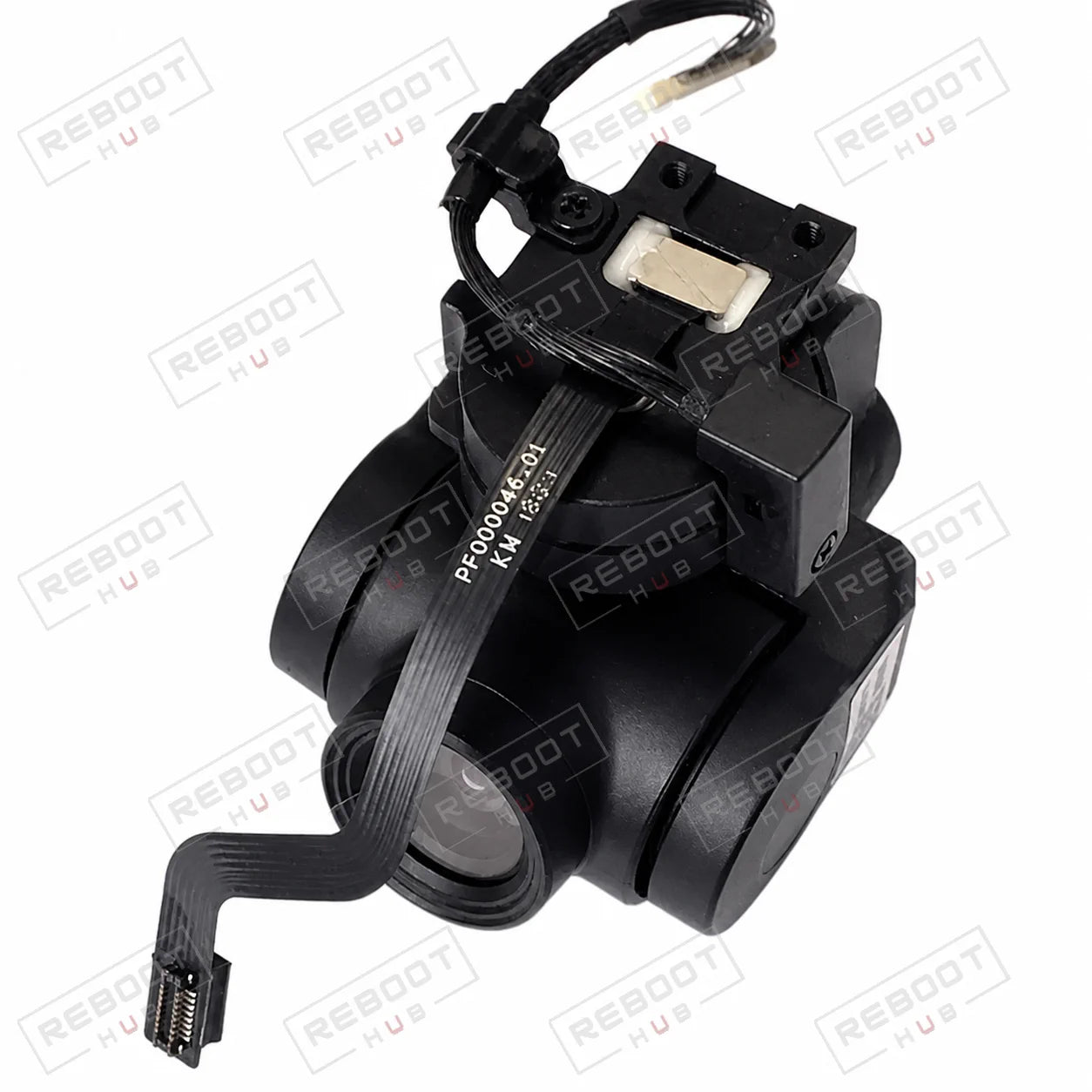
This gimbal camera assembly combines the stabilized camera hardware used to capture imagery on the DJI Mavic Air. Match the exact part to the listing photos before ordering.
Fits
DJI Mavic Air (1st gen)Not Air 2 or Air 2S.Match
Camera housing, gimbal-arm geometry and connector layoutCompare the exact listing photos before ordering.Includes
1 × Gimbal Camera AssemblyOther pieces only when shown or named.Condition
OEM-pulledInspect the exact item photos.PRODUCT COMPATIBILITY
| Item | Status | What to know |
|---|---|---|
| Compatible aircraft | Compatible | DJI Mavic Air (first generation). This item is not compatible with DJI Mavic Air 2 or Air 2S unless a separate listing explicitly states otherwise. |
| Match before purchase | Exact match required | Compare camera housing, gimbal-arm geometry and connector layout. |
| Second identification check | Confirm | Confirm lens condition, cable routing and the exact assembly completeness shown. |
| Exact host model | Exact match required | Match DJI Mavic Air Gimbal Camera Assembly to the full donor and host model, generation and part number before ordering. |
| Hardware revision and position | Confirm | Confirm connector layout, board or mechanical revision, left/right position and subtype (gimbal-component) from the listing photographs. |
| Installation scope and included pieces | Listing-specific | Confirm whether this listing includes only the pulled part or also its cables, screws, brackets, adhesive and related hardware. |
| Exact camera or gimbal model | Exact match required | Match the product generation, connector and mounting interface before ordering. |
| Firmware and signal path | Confirm | Functions can depend on compatible firmware, app support and the correct transmitter or cable path. |
| Included mounting pieces | Listing-specific | Confirm brackets, screws, cables and other small pieces from the selected listing photographs. |
SELECTED PACKAGE = SOURCE OF TRUTH
One OEM-pulled gimbal camera assembly in the configuration shown; protective covers, screws or extra cables are included only when pictured. Screws, adhesive, gaskets, cables, covers and paired-side parts are not included unless they are clearly visible or named. Packaging is prepared to protect the component during shipment, but installation tools are not supplied. This listing is for the component type shown in the product photos.
The selected variant, its images and the Reboot Hub inspection record determine the exact included pieces.
Match DJI Mavic Air Gimbal Camera Assembly, its hardware revision and physical position to the intended equipment before disassembly.
Compare the exact item with listing photographs; check pins, flex cables, mounts, sensors and contact surfaces for damage.
Use the model-specific service procedure, ESD precautions, correct tools and documented fastener sequence; specialist installation may be required.
Reassemble only after checking fitment, then verify the affected function and complete any documented calibration before operational use.
Stop installation and re-check the exact host model, hardware revision, side, position and connector orientation.
Inspect every related connector and flex cable, then verify installation, firmware and required calibration before judging the replacement part.
Record the exact warning, power down safely and review the model-specific service path; do not force calibration or operation.
Stop work to prevent secondary damage and document the item, connector and mounting area before seeking technical support.
DOCUMENTED PRODUCT EVIDENCE
PRODUCT QUESTIONS
A real team behind the listing
Reboot Hub supports worldwide buyers with inspected pre-owned equipment, genuine OEM-pulled parts, model-specific compatibility checks, careful sourcing, and repair-backed after-sale support.
Our service desk gives international buyers a real team to contact before dispatch, not an anonymous marketplace listing.
Reboot Hub Service Desk - Shenzhen
EXACT PARTS & EQUIPMENT FIT
For parts, controllers, cameras, gimbals and accessories, Reboot Hub checks the exact item, part identity, visible condition and known compatibility against the information available for the order. Ask us to verify fit before payment when a component is model- or revision-specific.
GUIDES, SUPPORT & LEARNING

Continue from the purchase decision into one organized model reference covering compatibility, setup, parts context, common failure points and supporting DJI documents.
Read guide
Use a practical aircraft, battery, propeller, controller, Home Point, and environment check before deciding to launch.
Read guide
Check the battery, charger, cable, temperature, and indicator behavior before treating a charging problem as a failed battery.
Read guide