DJI Mini 3 suoratoisto drone-kilpaa varten: HDMI-lähdön ottaminen käyttöön FPV-lähetyksille
Pikavastaus

- DJI Mini 3:sta puuttuu erillinen HDMI-portti.Käytä USB-C-HDMI-kaappauskorttia, kuten Elgato Cam Link 4K (99 dollaria / 772 HK$) puhelimen kanssa, jossa on DJI Fly -sovellus puhtaan FPV-syötteen tulostamiseen.
- Alimman latenssin kilpailuasetukset:Android-puhelin, jossa DisplayPort Alt Mode on yhdistetty US$30:n dollarin Ugreen HDMI -kaappariin, saavuttaa alle 100 ms:n lasista lasiin -latenssin – riittää reaaliaikaiseen kilpailun kommentointiin.
- Ohita HDMI RTMP-suoratoistollaDJI Fly -sovelluksesta yleisösyötteille; lisää 2–5 sekunnin viivettä, mutta ei vaadi ylimääräistä laitteistoa.
- Reboot Hub:n käyttämä DJI Mini 3 (virheetön A+-luokka) maksaa 329 US$ (2 566 HK$)– 36% less than new, includes 180‑day warranty and DDP shipping from Shenzhen/HK.
- Kaikki Mini 3 -sarjan droonit toimivat samalla tavalla HDMI-lähdön kanssa,, mutta Mini 3 Pro:n 4K/60 fps -syötteessä on HDMI 2.0 -sovitin lähetyslaatua varten.
- Langaton näytön peilaus (AirPlay/Chromecast) lisää 200–500 ms viivettäja se ei sovellu pilotointiin, vaikka se on hyväksyttävä katsojien näytöille.
Onko DJI Mini 3:ssa sisäänrakennettu HDMI-lähtö?
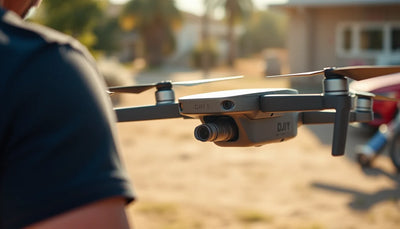
Mikään DJI Mini 3 -perheestä – Mini 3, Mini 3 Pro tai Mini 4 Pro ei sisällä fyysistä tai HDMI-standardiporttia dronen ohjauksessa. RC-N1-kaukosäädin ei lähetä videokuvaa USB-C-portin kautta. se vain lataa puhelimesi. Jopa DJI RC (ohjain, jossa on integroitu näyttö) ei voi siirtää live-videota USB-C-liitännän kautta – vain premium-luokan DJI RC Pro tukee suoraa HDMI-lähtöä. FPV-lähetyksiä varten sinun on kaapattava suora näkymä, jonka DJI Fly -sovellus näyttää yhdistetyssä mobiililaitteessa. Dronen alaslinkki on normaalisti terävä 1080p/60fps stream, ja oikean sovittimen avulla voit purkaa sen puhtaana HDMI-signaalina. Yleinen ratkaisu on käyttää älypuhelinta, jossa on USB-C DisplayPort Alt Mode – useimmat Samsung Galaxy S21 ja uudemmat iPhonet, joissa on USB-C-lähtösovitin, tai erillistä tablettia, kuten Tripltek 8 Pro. Syötä puhelimen näytön peili HDMI-kaappauskorttiin, niin sinulla on lähetysvalmis signaali. Odota järjestelmän lisättyä viivettä noin 80–120 ms, kun käytät laitteiston siepparia, joka sopii täydellisesti kilpailujen kommentaattoriin ja peittokuvaan.
Aiheeseen liittyvä:Edullinen NDVI-droni vehnätilan kartoittamiseen Saudi-Arabia Under
Kuinka paljon HDMI-suoratoiston määrittäminen DJI Mini 3:lle maksaa?
Halvin luotettava HDMI-suoratoistoketju Mini 3:lle voidaan koota alle 400 dollarilla, kun aloitat Reboot Hub:n omistetulla dronilla. Alla on todellinen kustannuserittely, mukaan lukien drone ja tarvittavat lisävarusteet. Kaikki hinnat sisältävät DDP-toimituksen tarvittaessa.
Aiheeseen liittyvä:Israelin vinkit: Estä etäkäyttötroijalaiset videopuhelun aikana
| Drone-malli | Uusi hinta (US$ / HK$) | Reboot Hub Virheetön A+ (US$ / HK$) | Reboot Hub Pristine A (US$ / HK$) |
|---|---|---|---|
| DJI Mini 3 | 469 USD / 3 658 HK$ | 329 USD / 2 566 HK$ | 299 USD / 2 332 HK$ |
| DJI Mini 3 Pro | 759 USD / 5 920 HK$ | 529 USD / 4 126 HK$ | 469 USD / 3 658 HK$ |
| DJI Mini 4 Pro | 799 USD / 6 232 HK$ | 569 USD / 4 438 HK$ | 509 USD / 3 970 HK$ |
Lisää USB-C-liitin HDMI-kaappaussovittimeen: Ugreen-malli maksaa 30 USD (234 HK$), kun taas lähetystason Elgato Cam Link 4K maksaa 99 USD (772 HK$). Lyhyt HDMI-kaapeli ja USB-C-keskitin lisäävät 20 dollaria (156 HK dollaria). Täydellinen minimaalinen asennus – turmeltumaton Mini 3 (299 dollaria), 30 dollarin tarrain ja 20 dollaria kaapeleita – maksaa 349 dollaria. Se on 120 dollaria vähemmän kuin pelkkä upouusi Mini 3, ja saat 180 päivän takuun Reboot Hub:ltä. Useita kamerasyötteitä vaativissa tapahtumissa useiden turmeltumattomien droonien ostaminen Reboot Hub:ltä vähentää pääomakustannuksia 30–40 % yksikköä kohden, mikä tekee siitä käytännöllistä käyttää erillisiä ilmakameroita kilparadan jokaisessa vaiheessa.
Mitkä HDMI-sieppauskortit tarjoavat alhaisen viiveen FPV-kilpalähetyksille?

Latenssi on kriittinen, kun leikkaat drone-syötön ja kurssilla olevan FPV-kameran välillä. Puhtaasti laitteistopohjainen kaappauskortti välttää puskuroinnin, jonka ohjelmistokooderit lisäävät. Elgato Cam Link 4K (99 dollaria / 772 HK$) tarjoaa lasin ja lasin välisen viiveen, joka on vain 50–70 ms, kun se on yhdistetty nopeaan Android-puhelimeen, ja tuottaa UVC-virran, jonka OBS tai vMix voi ottaa välittömästi vastaan. Budjetissa Mirabox HDMI Video Capture (US$ 35 / HK $ 273) ja Ugreen USB-C Capture Card (US $ 30 / HK $ 234) ovat molemmat noin 80-100 ms järjestelmän kokonaisviivettä, mikä on tarpeeksi alhainen kommentaattorin päällekkäisyyksiin ja reaaliaikaiseen kilpailukutsuun. Vältä yleisiä ”EasyCap”-klooneja, jotka lisäävät usein 200–300 ms viivettä. Tarkista myös, että puhelimesi voi ylläpitää USB-C-lähtöä ilman, että näyttö nukkuu. Samsung DeX tai "USB-jako + näytön peili" -tila pitää syötteen elossa. DJI Mini 3 Pro:n 4K/60fps downlink näyttää huomattavasti terävämmältä HDMI 2.0 -ketjussa, mutta 1080p/60fps on paras paikka Mini 3:lle, eikä se kuormita 35 dollarin kaappauslaitetta.
Kuinka suoratoistaa DJI Mini 3 materiaalia suurelle näytölle drone-kilpatapahtumia varten
On olemassa kaksi todistettua reittiä: matalan latenssin HDMI-ketju live-kommentaattorin näytölle ja RTMP-stream DJI Fly -sovelluksesta katsojien näytöille. Aseta HDMI-polkua varten Android-puhelin, jossa on USB-C-videolähtö, pieneen laitteeseen, liitä Ugreen-kaappauskortti ja käytä HDMI-lähtöä tapahtumanvaihtimeen tai suoraan suurelle näytölle. OBS Studion avulla voit peittää telemetrian ja kilpagrafiikan 85 ms:n mitatulla viiveellä, kuten Galaxy S21:ssä on vahvistettu. Tämä alle 100 ms:n ikkuna on tarpeeksi nopea, jotta kommentaattori voi kutsua reaaliaikaisia drone-asennon muutoksia. Pelkästään yleisölle tarkoitetuissa näytöissä, jotka eivät vaadi sekunnin osan ajoitusta, DJI:n sisäänrakennettu RTMP-suoratoistotoiminto lisää 2–5 sekunnin viivettä, mutta välttää kaapeloinnin – syötät vain tapahtuman suoratoistopalvelimen tunnistetiedot DJI Fly -sovellukseen. Useita Mini 3 -yksiköitä käyttävät organisaatiot pitävät usein yhden dronin matalan latenssin HDMI-silmukassa kilpailun ohjaamiseksi ja suoratoistavat muut RTMP:n kautta julkista katselua varten. Kaikki nämä työnkulut ovat helposti kopioitavissa Reboot Hub:n omistetuilla droneilla, joiden 180 päivän takuu kattaa drone-laitteiston myös intensiivisessä tapahtumakäytössä.
Miksi ostaa Reboot Hub:ltä?
Reboot Hub on erikoistunut turmeltumattomiin käytettyihin droneihin – ei "kunnostettuihin" palautuksiin, joilla on tuntematon historia. Jokainen drone käy läpi a40 pisteen tarkastusyrityksen omassa Shenzhenin tehtaassa, jossa komponentit on rakennettu uudelleen käyttämällä aitoja OEM-osia. Tuloksena on drone, joka on luokiteltu Flawless (A+ – vain aktivointi, ei koskaan lentänyt) tai Pristine Pre-Owned (A – vähäinen käyttö, ei näkyviä jälkiä). Kaikki ostokset sisältävät a180 päivän takuu, free DDP shipping from Shenzhen/Hong Kong, and access to the same chip‑level repair lab that employs MOHRSS Level 3 technicians with a 3‑5 day turnaround. When you set up a Mini 3 for HDMI live streaming, you’re counting on consistent hardware. Reboot Hub’s inspection covers the core board, gimbal, and camera alignment – the exact components that affect video output stability. By choosing a Pristine grade Mini 3 at US$299, you save 36% compared to new and still receive a warranty nearly twice as long as DJI’s standard 12‑month policy on critical parts.
Usein kysytyt kysymykset

K: Voiko DJI Mini 3 lähettää HDMI-lähtöä ilman puhelinta tai tablettia?
V: Ei. Dronissa itsessään ei ole videolähtöporttia. Sinun on käytettävä ohjainta, joka on yhdistetty mobiililaitteeseen, jossa on DJI Fly, ja kaapata sitten mobiililaitteen näyttö. DJI RC Pro -ohjain voi lähettää HDMI:n suoraan, mutta Mini 3:n vakio-RC-N1 ja DJI RC eivät.
K: Onko RTMP-suoratoisto DJI Fly -sovelluksesta tarpeeksi hyvä drone-kilpa-suoratoistoon?
V: Se toimii hyvin yleisölähetyksissä nollan lisälaitteiston ansiosta, mutta 2–5 sekunnin viive tekee siitä sopimattoman reaaliaikaisiin kilpailukutsuihin tai pilottiseurantaan. Monet tapahtumaryhmät käyttävät HDMI-kaappauskorttia kommentoijan näkymää varten ja lähettävät samanaikaisesti Fly-sovelluksen RTMP:n julkiselle YouTube-kanavalle.
K: Kuinka paljon viivettä USB-C-kaappauskortti lisää?

V: Laadukas plug-and-play UVC-kortti, kuten Ugreen tai Mirabox, lisää 30–50 ms videonkäsittelyä. Yhdessä puhelimen näytön peilauksen kanssa lasin ja lasin välinen kokonaislatenssi on tyypillisesti 80–120 ms – suunnilleen sama kuin langattomassa analogisessa FPV-järjestelmässä, ja sitä voidaan käyttää täydellisesti live-kommentointiin.
K: Mikä on todellinen säästö, kun ostat Reboot Hub:ltä käytetyn DJI Mini 3:n?
A: Koskematon esiomistettu (luokka A) DJI Mini 3 maksaa 299 US$ (2 332 HK$) – 36 % alennus uudesta 469 dollarin hinnasta. Virheetön A+ -luokka on 329 dollaria (2 566 HK dollaria). Molemmat sisältävät DDP-toimituksen ja 180 päivän takuun, joten saat uudenveroisen dronin, jonka kattavuus on pidempi kuin tavallinen 12 kuukauden valmistajan takuu.
K: Kattaako 180 päivän takuu HDMI-kaappauslisälaitteiden käytöstä aiheutuneet vahingot?
V: Takuu kattaa valmistusvirheet ja laitteistoviat, ei kolmannen osapuolen lisävarusteiden tai väärän käytön aiheuttamia vahinkoja. Mielenrauhan vuoksi Reboot Hub:n tukitiimi suosittelee sertifioitujen USB-C-sovittimien käyttöä ja virransyötön ristiriitojen välttämistä, jotka ovat erittäin harvinaisia.
K: Mikä Reboot Hub-kuntoluokka on paras HDMI-suoratoistoasetuksiin?
V: Molemmat laatuluokat tarjoavat identtisen teknisen suorituskyvyn, koska Reboot Hub käyttää aitoja OEM-osia kaikissa käytetyissä laitteissa. Pristine A -luokan droneissa voi näkyä mikroskooppisia käsittelyjälkiä, kun taas Flawless A+ -yksiköt aktivoidaan vain ilman kosmeettista kulumista. Vain lähetyskäyttöön tarkoitetulle droonille, joka säilyy kotelossa, Pristine-luokka säästää 30–60 USD lisäsäästöä.
K: Voinko käyttää näytön peilausta (Apple AirPlay / Google Cast) sieppauskortin sijaan?
V: Kyllä, mutta latenssi hyppää 200–500 ms, mikä tekee siitä käyttökelvottoman reaaliaikaisissa kilpailukutsuissa. Se voi toimia katsojanäytössä oleskelutilassa, jossa 0,5 sekunnin viive on huomaamaton. Kaikissa ajoituskriittisissä lähetyksissä kannattaa käyttää langallista HDMI-kaappausta.
Tekniset tiedot ja tiedot
Katso tämän mallin täydelliset tekniset tiedot, purkamisohjeet, yleiset vikakohdat ja käytetty-hinnoitteluDJI Mini 3 Wiki— osaReboot Hub DJI Drone Wiki(64 mallia, yli 700 kartoitettua osaa). Selaa vahvistettua käytetty-varastoaDJI minivarasto.
Keep exploring
Further reading
From Reboot Hub Chronicle







From Drone-oppaat