

Drone Guides
드론 가이드
Step-by-step DJI flight, filming, firmware and licensing guides — written by China-based, MOHRSS-certified DJI repair specialists.
243 guides & articlesUpdated Jul 2026MOHRSS-certified · China-based DJI specialists

Your DJI flight, film & firmware playbook
Reboot Hub's Drone Guides are step-by-step, field-tested walkthroughs written by our China-based, MOHRSS-certified DJI technicians — the same people who repair and inspect hundreds of DJI aircraft every month. Whether you're setting up a new controller, filming your first cinematic move, or getting legal to fly, every guide answers one real question end to end.
Browse practical help across flying and filming technique, DJI Goggles & FPV setup, RC-N3 and DJI RC controllers, firmware updates, SD-card and storage choices, no-fly-zone and Part 107 / FAA licensing, and pre-flight checks. Every guide is cross-linked to the Drone Wiki for teardown-level part data, and to inspection-verified pre-owned DJI drones graded against our published grading standard — so you always know what you're flying and what it costs to fix.
Explore by topic
Browse by DJI model
The Reboot Hub knowledge network
WikiDrone WikiTeardown-level model, part and repair intelligence — the technical backbone behind every guide.DatabaseDJI Model DatabaseFull specs library across every DJI aircraft generation.DatabaseDJI Parts DatabaseOEM component library — part numbers, compatibility and failure modes.ProceduresDJI Repair GuidesStep-by-step teardown and replacement procedures by module.BlogSupport & LearningRepair, diagnostics and parts knowledge straight from our workshop.BlogThe Reboot Hub ChronicleBuying, trade-in and pre-owned DJI market intelligence.
Latest guides
drone
2025년 중국에서 필리핀으로의 수입관세 안내: DJI 드론 DDP 계산기
2025년 중국에서 필리핀으로의 수입관세 안내: 구매 전 도착 비용, 세관 서류, 배터리 배송 및 구매자 위험을 확인하세요.
drone
GCAA 프로세스 탐색: DJI를 사용한 이벤트 촬영을 위한 상업용 드론 라이선스 중국에서 두바이로 수입
GCAA 프로세스 탐색: 상업용 드론 라이센스: 구매하기 전에 착륙 비용, 세관 문서, 배터리 배송 및 구매자 위험을 확인하십시오.
drone
캐나다 우편을 통해 수리를 위해 중국으로 배송할 때 DJI 드론을 보호하는 방법: 안전한 국경 간 반품을 위한 실용 가이드
중국으로 배송 시 DJI 드론을 보호하는 방법: 구매하기 전에 도착 비용, 세관 서류, 배터리 배송 및 구매자 위험을 확인하세요.
drone
중국에서 스웨덴으로 산림 검사 드론 수입: 관세 및 Transportstyrelsen 규정 2025
중국에서 스웨덴으로 산림 검사 드론 수입: 구매 전 착륙 비용, 세관 서류, 배터리 배송 및 구매자 위험을 확인하세요.
drone
미국 관광 웨딩 사진작가는 중국에서 구입한 DJI에 대해 독일 드론 라이센스가 필요합니까?: 실용적인 국경 간 가이드
미국 관광 웨딩 사진작가에게는 독일 드론이 필요합니까? 구매하기 전에 라이센스, 등록, 영공, 개인 정보 보호 및 구매자 위험을 확인하십시오.
drone
2024년에 스페인의 대량 중고 드론에 대한 아프리카 수입 허가가 필요합니까? 관세 및 관세 안내
대량 구매를 위해 아프리카 수입 허가가 필요합니까? 구매하기 전에 양륙 비용, 세관 서류, 배터리 배송 및 구매자 위험을 확인하십시오.
drone
2024년 중국에서 스페인으로 DJI 드론을 수입하는 방법: 관세 및 세금 안내
2024년 중국에서 스페인으로 DJI 드론을 수입하는 방법: 구매하기 전에 착륙 비용, 세관 서류, 배터리 배송 및 구매자 위험을 확인하세요.
drone
온타리오에서 결혼식 비디오 촬영을 위해 홍콩 DJI 드론 사용: 라이센스 요구 사항
결혼식 비디오 촬영에 홍콩 DJI 드론 사용: 구매하기 전에 라이센스, 등록, 영공, 개인 정보 보호 및 구매자 위험을 확인하십시오.
drone
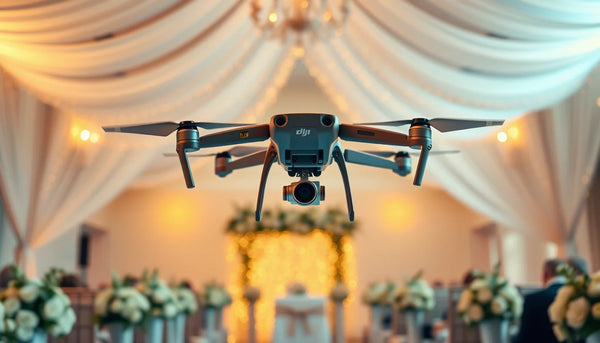
결혼식에서 실내 드론 비행: 안전, 허가 및 조용한 드론 체크리스트(2025)
결혼식장 실내 드론 비행에는 주로 국가 영공법이 적용되지 않습니다. 이는 장소 허가, 손님 안전 및 개인 정보 보호에 관한 문제입니다. 많은 국가에서...
Something not flying right?
Our MOHRSS-certified technicians in China diagnose DJI gimbal, motor, board and water-damage faults at chip level. Send photos and symptoms — you get a preliminary USD range within 1 business day, free and with no obligation.
DJI drone FAQs
Why is my DJI drone geo-locked or unable to take off?
A DJI GEO lock can appear near airports, sensitive sites, border areas, or temporary flight restrictions. First check the DJI FlySafe map and your local aviation authority's airspace notice. Do not try to bypass a valid restriction. Where DJI provides an authorised unlock path and your flight is lawful, submit the required verification before takeoff.
How do I update DJI drone firmware safely?
Update firmware through the DJI Fly or DJI RC app with the battery above 50% and a stable connection — never power off mid-update. If an update fails or the aircraft won't bind afterward, stop and get it checked; a failed firmware flash is one of the most common faults our technicians recover.
Which SD card should I use in a DJI drone?
Use a UHS-I U3 / V30 (or faster) microSD card from a known brand — V30 is the minimum for 4K, and 4K120 benefits from V60. Format the card in the aircraft before your first flight, and keep a spare: card read/write faults often look like a camera failure.
How do I set up DJI Goggles and FPV mode?
Power the goggles and aircraft, confirm they're on matching firmware, then link them with the bind button (or in the app). For DJI Goggles V2 and the Avata/FPV system, set your IPD, dioptre and channel before takeoff. Weak or dropping video is usually an antenna, channel or firmware mismatch rather than a hardware fault.
What's the difference between the DJI RC and RC-N3 controllers?
The RC-N3 (and RC-N1/N2) uses your phone as the screen, while the DJI RC and RC Pro have a built-in display. Compatibility is model-specific — an RC-N3 paired to a Mavic 3 won't necessarily bind to a Mini — so match the controller to your exact aircraft before buying a replacement.
Can I fly my DJI drone in a restricted or no-fly zone?
DJI's GEO system flags restricted and no-fly zones (airports, borders, sensitive sites) and will limit or block takeoff. Some zones allow flight after an unlock request with valid authorization; others never do. Always check the DJI Fly map and your national airspace rules — flying in controlled airspace without clearance can be illegal.
- 선택 항목을 선택하면 전체 페이지가 새로 고쳐집니다.