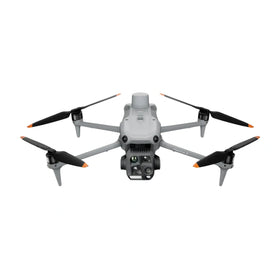
RayNeo Air 4 Pro and DJI Neo 2: Display Specs and Compatibility Limits
Verified RayNeo Air 4 Pro display specifications compared with DJI's documented Neo 2 goggles path, plus a six-step test for video output, latency, telemetry, controls and failure behavior.

Reboot Hub Industry Analysis
Display Specifications and the DJI Neo 2 Compatibility Question
Quick answer: RayNeo Air 4 Pro is a wired USB-C display device with a 1080p micro-OLED image, up to 120Hz refresh, HDR10 support and a 46-degree field of view. DJI's published Neo 2 immersive-flight path uses a Neo 2 Digital Transceiver with specified DJI goggles and controllers. RayNeo Air 4 Pro is not listed as a directly compatible Neo 2 flight display, so it should not be described as a plug-and-play goggles upgrade.
Evidence boundary: Reboot Hub has not connected a production RayNeo Air 4 Pro to a DJI Neo 2 control chain. Product facts below are attributed to the manufacturers. Any indirect video path would need to be validated with the exact phone, controller, adapter, output mode and firmware. Reboot Hub is independent and is not affiliated with RayNeo or DJI.
Market context
Turn market news into a buy, repair, or trade-in decision.
Compare pre-owned availability, resale timing, and repair economics before the market moves again.

Article update: The earlier version framed Air 4 Pro as a possible Neo 2 upgrade. This Citation Edition keeps that buyer question but replaces the assumption with a documented compatibility test.
What the manufacturers actually publish
What the display specifications do not establish
No native aircraft link
USB-C display support is not the same as DJI video-link compatibility. A wearable display still needs a source device that exposes the required live video in a supported output format.
No flight-latency guarantee
A 120Hz panel can refresh quickly, but end-to-end latency also includes the aircraft link, app, controller or phone, video output, adapter and display processing.
No telemetry-completeness guarantee
An external mirrored image is only useful if it preserves the warnings, battery state, link quality, navigation data and camera information required by the pilot's workflow.
No substitute for supported controls
Air 4 Pro is a display, not a Neo 2 controller or transceiver. It does not replace the documented command link, flight controls or emergency behavior.
Reboot Hub External Display Compatibility Gate
Before treating any consumer display glasses as part of a drone workflow, verify the complete system rather than comparing panel specifications alone.
- Identify the official control chain. List the aircraft, transceiver, remote controller, goggles, phone and app combinations the manufacturer currently supports.
- Prove the video output. Confirm that the intended controller or phone can output the live view through USB-C DisplayPort or a documented adapter while the flight app is running.
- Measure end-to-end latency. Test motion-to-display delay across the complete chain. Panel refresh rate alone is not a latency measurement.
- Audit the visible information. Verify that warnings, battery data, return-to-home status, link quality, map or positioning cues and camera settings remain readable.
- Test interruption behavior. Disconnect and reconnect the cable, background the app, change screen orientation and simulate source power loss so the pilot knows how the system fails.
- Confirm operating legality and supervision. Apply local visual-line-of-sight, observer and goggles rules to the actual operation. A display accessory does not change those requirements.
Buyer decision
Air 4 Pro may be attractive as a private display for phones, computers and handheld consoles that provide a supported video signal. Its panel specifications are relevant to that purpose. They are not evidence of direct Neo 2 compatibility.
For a Neo 2 immersive-flight setup, the documented path is the safer reference: the required Neo 2 Digital Transceiver and the DJI goggles and controls named in the current compatibility material. An indirect RayNeo setup should be treated as an unverified external-display experiment until the source output, latency, telemetry and failover behavior have all been demonstrated.
Frequently asked questions
Can RayNeo Air 4 Pro connect directly to DJI Neo 2?
No direct connection is documented in the official compatibility sources reviewed for this article.
Does USB-C compatibility mean it works with every controller?
No. The source device must provide a compatible video output. A USB-C connector by itself does not prove DisplayPort video support or app-output compatibility.
Does 120Hz make the glasses safe for FPV flight?
No. Refresh rate is one display property. Safe use also depends on the aircraft link, total latency, telemetry, controls, failure behavior and applicable operating rules.
Which goggles does DJI list for Neo 2?
DJI's reviewed compatibility guide lists DJI Goggles N3 and DJI Goggles 3 for Neo 2, with the required transceiver and compatible controls.
Sources and methodology
This article compares RayNeo's published display and device-input specifications with DJI's current Neo 2 goggles and transceiver documentation. A product is treated as directly compatible only when the reviewed documentation names the connection path. Absence from a list is reported as "not documented," not as proof that every indirect experiment will fail.