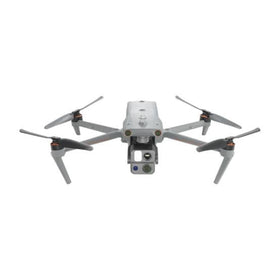
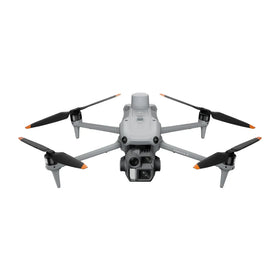
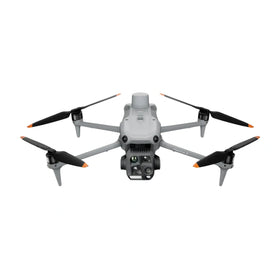
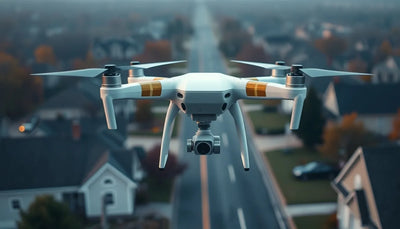
DJI rolls out new firmware for Mini 5 Pro, Air 3S, and Mavic 4 Pro
DJI has started pushing new firmware to three of its current consumer camera drones. Owners of the Mini 5 Pro, Air 3S, and Mavic 4 Pro should check the DJI Fly app for available updates and review what changed before their next commercial flight.

Quick answer
DJI is rolling out new firmware for the Mini 5 Pro, Air 3S, and Mavic 4 Pro consumer camera drones, according to DroneDJ.
- The update covers three current DJI camera drone models.
- Owners should check the DJI Fly app for available firmware.
- The reporting does not yet confirm specific feature changes or fixes.
- Commercial operators should verify update readiness before scheduled work.
Evidence: DroneDJ
DJI buying context
Match product news to hardware you can actually deploy.
Check inspected DJI aircraft, repair support, and trade-in timing before deciding whether to upgrade, repair, or wait.

DJI has begun rolling out new firmware for three of its most capable consumer camera drones, according to reporting from DroneDJ. The update covers the Mini 5 Pro, Air 3S, and Mavic 4 Pro, giving owners of those models a practical reason to open the DJI Fly app and check whether a download is waiting. For commercial operators, repair customers, and anyone managing a mixed drone fleet, firmware rollouts are rarely just a routine notification. They can affect flight behavior, battery management, camera performance, and how a drone interacts with accessories or third-party workflow tools.
The report, published on October 22, 2026, does not yet specify the exact contents of the firmware update. DroneDJ frames the rollout as a reason for owners to check their apps, rather than as a detailed changelog announcement. That matters for how the news should be read. Until DJI publishes official release notes or users begin documenting verified changes in the field, the update should be treated as an active distribution event rather than a confirmed feature upgrade. Reboot Hub analysis suggests that operators who fly commercially should avoid treating an unverified firmware update as a mandatory same-day install unless their specific workflow requires it.
Why firmware timing matters for commercial operators
Firmware updates for DJI drones are not always limited to new features. They can include stability fixes, battery communication adjustments, gimbal calibration refinements, or compatibility changes that affect how a drone behaves with existing accessories and software. For a commercial operator, the decision to update is an operational decision, not just a maintenance checkbox. A pilot who installs new firmware the night before a scheduled mapping job or inspection flight may discover unexpected behavior in the field, especially if the update touches flight controller logic or camera settings.
DroneDJ's reporting identifies the Mini 5 Pro, Air 3S, and Mavic 4 Pro as the affected models. That span is notable because it covers different operator profiles. The Mini 5 Pro is commonly used for lightweight commercial work and travel documentation, the Air 3S sits in the mid-tier camera drone segment, and the Mavic 4 Pro is positioned as a higher-end imaging platform. A single firmware rollout across those three models suggests a shared underlying system change rather than a model-specific fix, though the source data does not confirm the technical scope. Operators should check the DJI Fly app for their specific model and review any available release notes before updating.
For fleet managers, the practical step is to stage updates. Rather than updating every aircraft at once, a measured approach is to update one unit, run a controlled test flight, verify that camera output, battery telemetry, and flight modes behave as expected, and then roll the update across the rest of the fleet. That approach reduces the risk of grounding an entire operation over an unverified firmware change. It also creates a documented process that can support maintenance records and insurance or client compliance requirements.
What this means for drone owners and the market
Firmware rollouts have a direct effect on the pre-owned DJI market, even when the update itself is modest. Buyers evaluating a used Mini 5 Pro, Air 3S, or Mavic 4 Pro may ask whether the aircraft is running current firmware, and sellers who can show that a drone has been maintained and updated in a controlled way often present a more credible listing. A drone that is several firmware versions behind may still fly well, but it can signal inconsistent maintenance to a cautious buyer. For repair customers, firmware status also matters because some service issues are resolved through software rather than hardware replacement. A drone brought in for a gimbal or battery communication fault may simply need a firmware refresh, which changes the cost and turnaround picture for the owner. For owners evaluating service and lifecycle risk, Do I Need A Caa Commercial License For Mavic 4 Pro explains the relevant repair, parts, resale, or operational path.
The broader market signal here is continuity. DJI continues to support three current consumer camera models with firmware activity, which reinforces that these platforms remain active in the company's product lifecycle. For operators thinking about resale value or fleet planning, that is a mildly positive indicator. It suggests that the Mini 5 Pro, Air 3S, and Mavic 4 Pro are not being quietly retired in favor of newer hardware, at least not yet. Reboot Hub analysis views this as a maintenance-phase signal rather than a launch-phase signal. The update does not introduce a new product, but it does keep existing products current.
Reboot Hub analysis: For anyone buying or selling a pre-owned DJI drone in this segment, the practical takeaway is to treat firmware currency as part of the condition assessment. A seller who updates before listing, documents the firmware version, and confirms stable post-update flight behavior is addressing a real buyer concern. A buyer who asks about firmware history before purchase is less likely to inherit a drone with unresolved software quirks. That same logic applies to professional DJI repair work: confirming firmware status before and after service can help isolate whether a problem is mechanical, electrical, or software-driven. Readers evaluating the commercial license requirements for a Mavic 4 Pro can review Do I Need A Caa Commercial License For Mavic 4 Pro to understand how aircraft choice intersects with operating authority.
How to approach this update without overreacting
The measured response for most owners is to check the DJI Fly app, read any available release notes, and decide whether the update is relevant to their specific use case. DroneDJ's report does not indicate that this is a safety-critical or emergency update, and there is no verified evidence in the source data of a known defect being patched. That means there is no immediate pressure to install the firmware before the next flight unless the operator's own workflow documentation requires current firmware as a condition of flight.
For commercial pilots, the better practice is to schedule firmware updates during planned maintenance windows, not immediately before a client job. That allows time for a test flight and a review of camera settings, battery behavior, and any third-party app compatibility. Some mapping and inspection workflows rely on specific SDK versions or app integrations, and a firmware change can occasionally disrupt those connections. Testing after the update is the only reliable way to confirm that the full workflow still functions.
Repair customers should also note that firmware updates can sometimes resolve intermittent issues without a hardware repair. If a drone has been showing inconsistent gimbal behavior, battery percentage drift, or connectivity hiccups, checking firmware status is a reasonable first step before booking a service appointment. A repair shop that starts with firmware verification may save the customer money by ruling out software causes before opening the airframe. That is especially relevant for pre-owned DJI drones, where the update history may be incomplete or undocumented.
The bigger picture for DJI product support
Reboot Hub analysis: Firmware activity across the Mini 5 Pro, Air 3S, and Mavic 4 Pro is a small but meaningful data point for anyone watching DJI's product support patterns. It indicates that these models are still receiving attention from the manufacturer, which supports their continued relevance in both the new and pre-owned markets. For fleet operators, that reduces the near-term risk of buying into a platform that is about to lose software support. For repair providers, it means the service knowledge base for these models is likely to remain current.
At the same time, the source data is limited. DroneDJ's report confirms the rollout and the affected models, but it does not provide changelog details, version numbers, or user-reported outcomes. Reboot Hub analysis therefore treats this as an early-stage distribution notice rather than a fully documented firmware release. Operators who want more detail should monitor DJI's official release notes and community reports from other pilots who have installed the update. Until those details emerge, the responsible approach is to stay informed without making unsupported claims about what the firmware does or does not change.
Reboot Hub analysis: For the broader commercial drone market, this kind of update is a reminder that software maintenance is part of ownership cost. A drone is not a static tool; it changes over time through firmware, app updates, and accessory compatibility shifts. Buyers who understand that dynamic are better positioned to evaluate both new and pre-owned aircraft. Sellers who document their update history are better positioned to command buyer confidence. And repair customers who treat firmware as part of the diagnostic process are more likely to avoid unnecessary hardware work.
FAQ
Frequently asked questions
Which DJI models are included in this firmware rollout?
According to DroneDJ, the firmware rollout covers the Mini 5 Pro, Air 3S, and Mavic 4 Pro consumer camera drones.
Should commercial operators install the update immediately?
The source does not indicate that this is a safety-critical update. Commercial operators should check the DJI Fly app, review available release notes, and test the update during a planned maintenance window rather than immediately before a client job.
Does this firmware update affect pre-owned DJI drone values?
Firmware currency can influence buyer confidence in the pre-owned market. A drone with documented, current firmware and stable post-update flight behavior is generally easier to sell than one with an unclear update history.
Which sources support this update?
The visible evidence links identify DroneDJ; each source is used only for the claim it directly supports.
What remains subject to change?
Retail pricing, availability, product bundles and regulatory timelines can change. Readers should verify the latest terms with the named retailer, manufacturer or regulator before acting.
How should buyers or operators use this analysis?
Use the verified facts as a starting point, then compare mission fit, lifecycle support, maintenance needs and current procurement terms before making a purchase or fleet decision.
참고 문헌
- DroneDJ - primary source
발행 시점에 이용 가능한 추가 공식 문서는 없었습니다.
Reboot Hub 편집팀은 드론 소유자를 위해 구매, 수리, 재판매 및 운영 분석을 제공합니다. 오류를 발견하신 경우, 편집 정책에 따라 수정 검토를 요청해 주시기 바랍니다.